If you are an iPhone user in India, a new update is waiting for you. Apple has officially released iOS 26.3, the latest version of its operating system for 2026. While everyone is waiting for the major AI overhaul expected later this year, iOS 26.3 brings some surprising and very useful tools right now—especially if you have ever thought about switching phones.
This update focuses on flexibility and privacy. For the first time, Apple is making it easier to leave its ecosystem (yes, really!), improving how your phone handles location privacy, and fixing critical bugs.
Here is everything you need to know about iOS 26.3, what it means for Indian users, and why you should update today.
What is New in iOS 26.3?
Unlike the massive visual changes we saw with the launch of iOS 26 (which aligned the version number with the year 2026), this point-release is about utility and security.
1. “Transfer to Android” Tool
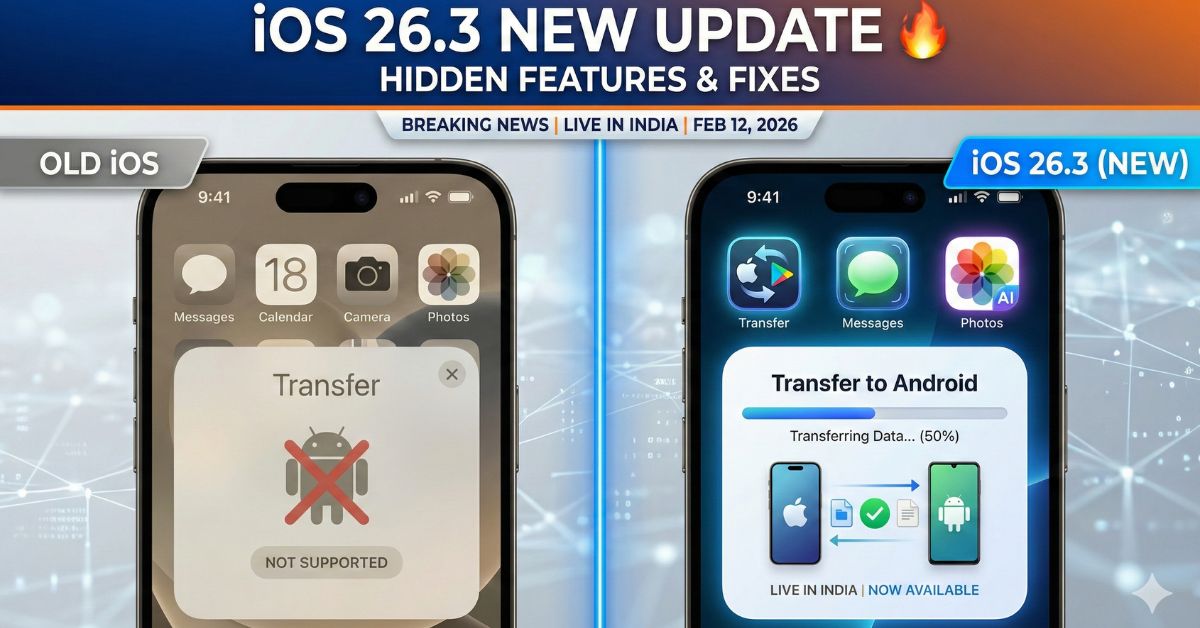
The biggest headline is a feature Apple rarely talks about: moving away from iPhone. iOS 26.3 adds a dedicated “Transfer to Android” button in Settings.
- How it works: You can now place your iPhone next to an Android device to wirelessly copy your data.
- What it moves: It transfers photos, videos, messages, contacts, and even some compatible apps without needing third-party cables or confusing software.
- Why it matters: Previously, this process was difficult. Now, Apple and Google are using a new standard to make switching devices seamless.
2. Limit Carrier Location Tracking
Privacy gets a boost in this update. A new setting allows users to limit how precisely mobile network carriers can track their location.
- The Details: This feature works on newer iPhones with the C1 and C1X modems. It obfuscates (hides) your exact coordinates from the service provider, sending only approximate location data unless precise tracking is strictly necessary for a call or emergency.
- Availability: While currently supported by limited carriers globally, Indian telecom operators are expected to adopt this standard soon to comply with new digital privacy norms.
3. Third-Party Smartwatch Support
In a move likely driven by European regulations, iOS 26.3 opens up Notification Forwarding to non-Apple wearables.
- If you use a smartwatch from brands like Garmin, Samsung, or Nothing, your iPhone can now forward system notifications to them more reliably.
- Note: You can only have this active for one accessory at a time, and enabling it might disable some Apple Watch notifications temporarily.
4. Wallpaper & Visual Tweaks
Small changes have been made to the Lock Screen customization. The Weather and Astronomy wallpapers have been split into separate sections in the gallery, making it easier to find the specific live-weather look you want without scrolling through 3D earth models.
Why This Matters for India
For Indian users, this update is significant for two reasons:
- Freedom of Choice: The Indian smartphone market is highly competitive. The new “Transfer to Android” tool removes the fear of “data lock-in,” giving users the confidence to switch brands if they choose to.
- Security: With digital fraud on the rise, the new security patches in iOS 26.3 (fixing vulnerabilities in the Kernel and CoreMedia) are essential for protecting banking apps and personal data.
What’s Next? (The AI Wait)
You might be asking, “Where is the new Siri?” Many experts, including insiders, believe iOS 26.3 is the final stability update before the release of iOS 26.4 in March or April. That update is rumored to bring the massive “Super Siri” upgrade powered by next-gen AI models (potentially integrating Google’s Gemini engine).
For now, iOS 26.3 is setting the stage by fixing bugs and clearing the way for those heavy AI features.
How to Update ?
It is safe and recommended to install this update immediately.
- Open Settings.
- Go to General > Software Update.
- You should see iOS 26.3 available for download.
- Tap Update Now. Tip: Ensure you have at least 50% battery and a stable Wi-Fi connection.
Frequently Asked Questions (FAQs)
Q1: Is iOS 26.3 safe to install?
Yes, it includes important security fixes that protect your iPhone from hackers. It is recommended for all users.
Q2: Will the “Transfer to Android” feature delete my iPhone data?
No. It only copies your data to the new Android phone. Your data remains on your iPhone unless you manually factory reset it.
Q3: Why is it called iOS 26 and not iOS 19?
In 2025, Apple changed its numbering system to match the current year (2026), skipping from iOS 18 directly to iOS 26 to make it less confusing for customers.
Q4: Does this update improve battery life?
This update focuses on bug fixes. While it doesn’t claim to boost battery life, fixing background bugs often helps the phone run more efficiently.
Q5: When is the big AI update coming?
The major AI features for Siri are expected in the next update, iOS 26.4, likely arriving in late March or April 2026.